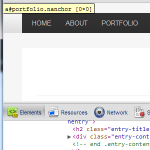
 While developing a WordPress theme recently, I tested it in Chrome, Firefox, and IE and everything worked as expected. Recently I noticed the named anchors were not working in Chrome. I narrowed the problem down to Chrome positioning the anchors on the screen at coordinates
 0,0 probably because the elements were empty. Thanks to this comment, it’s as simple as adding the CSS display: inline-block to the named anchor elements. The code <a id="about"></a> was changed to <a id="about" style="display: inline-block"></a> and viola, the empty named anchors are fixed.
One thought on “Empty Named Anchor Fix”
Comments are closed.
Thank you! What a ball ache.